.png?width=210&height=55&name=StudioC-logo-GRAY_(250px).png)
Whether it's a podcast, playlist, or a song you find impactful, sharing a Spotify card is a great way to let a member preview an audio element.
How to:
1. Find the song, podcast, playlist, or artist you want to share.

2. Click on the three dots and hover over share.
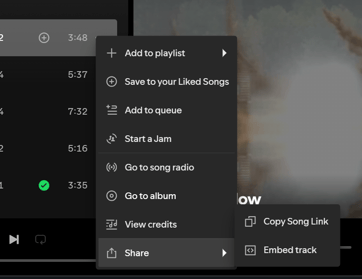
3. Select Embed option.
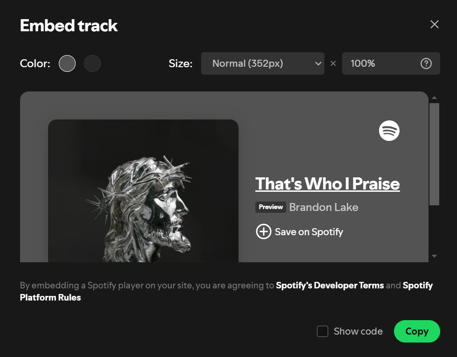
4. Adjust your settings. Once you're set and like how it looks, click the "Copy" button.
Spotify allows you to adjust your card display within the UI. You are able to change color and size between the preset options and see a preview of what it will look like once embedded.
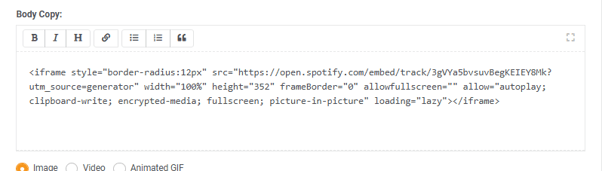
5. Go to your message, paste the code you've copied into the interstitial and save.
6. Preview your message.