.png?width=210&height=55&name=StudioC-logo-GRAY_(250px).png)
Where to Access Integrations and API:
Account Details > Integrations
- Access to the Account Details > Integrations area (where you enable API access and create API credentials) is granted to Master Admins.
- If you do not see the Account Details or Integrations tab, you may not currently have the permission/feature enabled for your church or account role.
Requesting Access:
- Contact our customer support team and request the Integrations/API feature be enabled for your account.
- A support team member will enable this feature.
- After the permission/feature is enabled, refresh your dashboard and verify that Account Details > Integrations is visible.
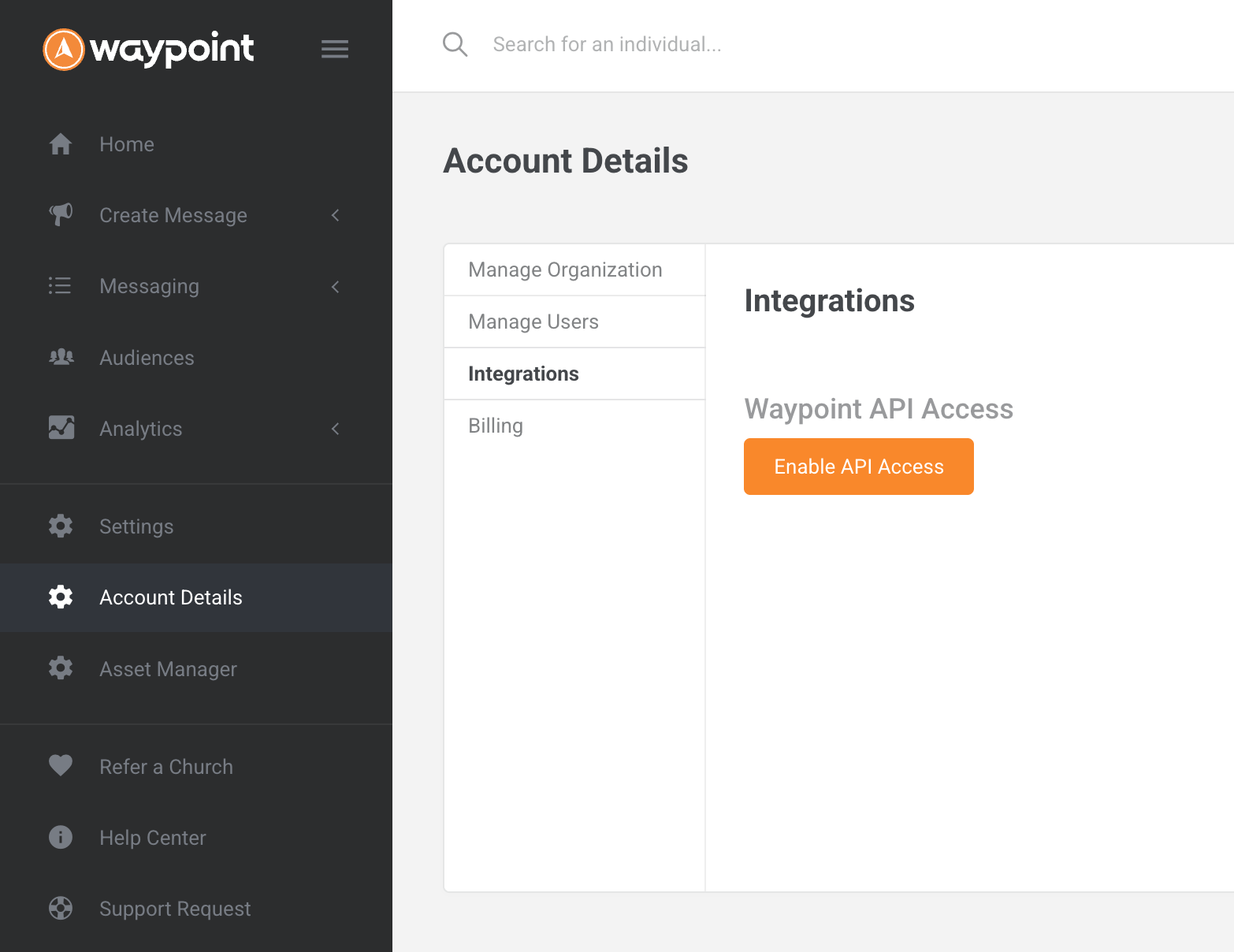
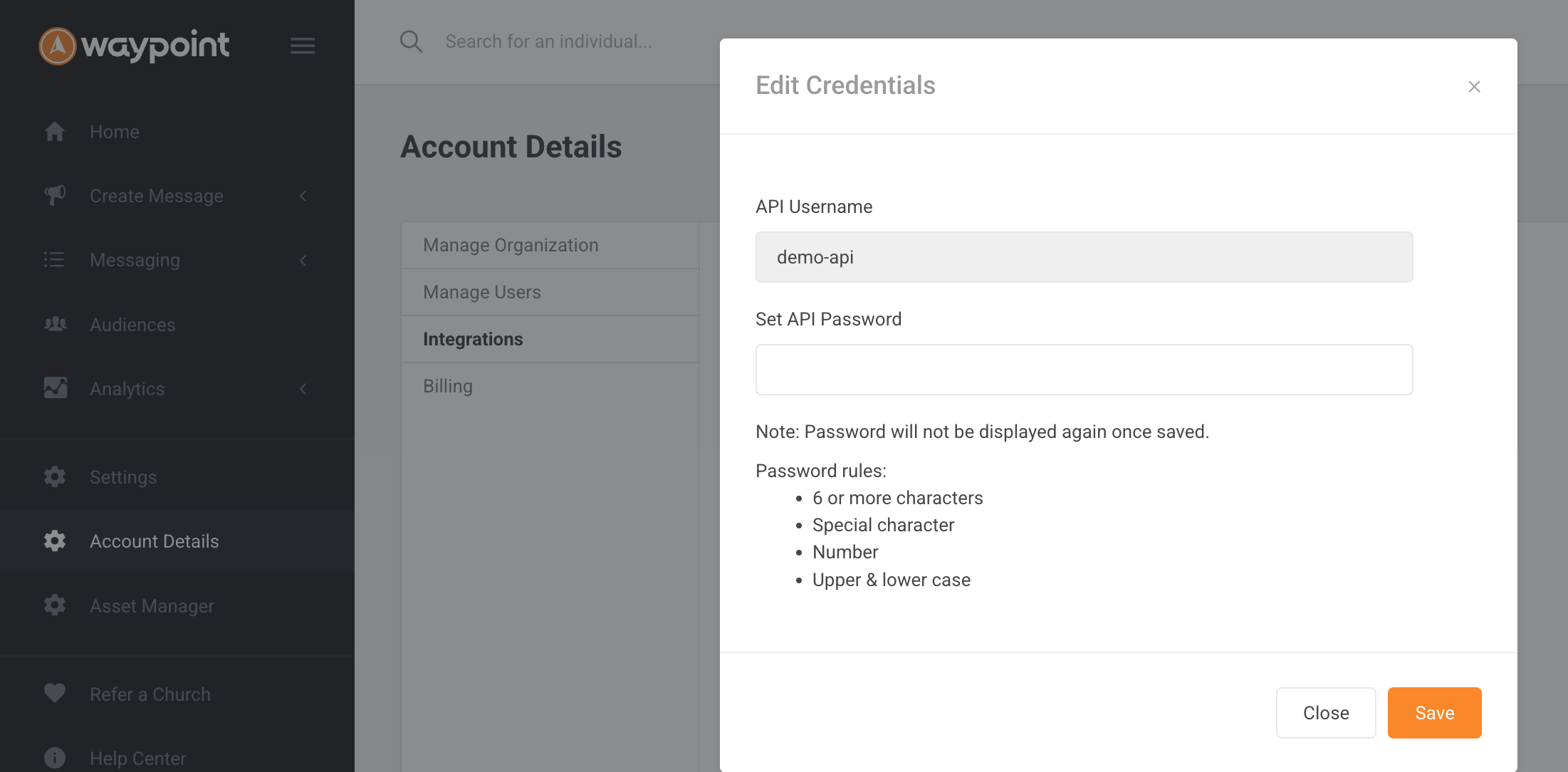
Enabling API Access:
- Go to Account Details > Integrations > Enable API access.
- Set up a password; the API username and password created here are the credentials you will share with the integrator or third-party application.
- Tip: Save your password in a secure location as the password is only able to be viewed once and cannot be recovered. A new password can be set at any time, however, please note that any previous API integrations will break until the new API password is provided to the integrator or third-party application.
Troubleshooting:
- If the Integration tab still does not appear after a permission change:
- Log out and log back in, or refresh the dashboard to ensure the updated permissions take effect.
- Confirm with support that the feature was granted to your account and that your role is a Master Admin.
- If you have enabled API access but the integrator reports missing items:
- Confirm the API username and password were created and provided to the integrator.
-
- For some SSO implementations, additional items (for example, a publicly listed privacy policy) may be required by the integration process; confirm integration requirements with the integrator.
Conclusion:
If you cannot see Account Details or Integrations, request that the Integrations/API feature be enabled for your account or that your role be updated to a Master Admin. Once enabled, use Account Details > Integrations to enable API access and create the API username and password needed by your integrator.